
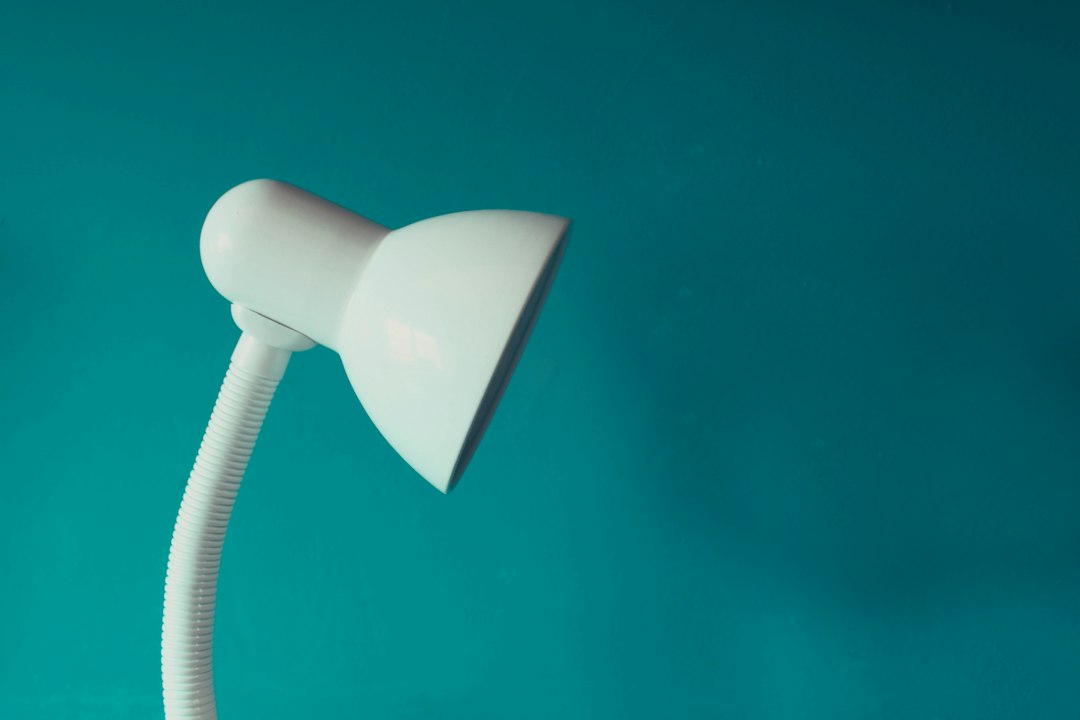
So, you’re looking for a rechargeable desk lamp that actually works for you, right? It’s not just about picking one that looks nice; getting the right size and wattage is crucial for comfortable, effective lighting. We’ll break down how to figure out what you truly need, avoiding the pitfalls of too dim or glaringly bright situations, and help you pick a lamp that will genuinely enhance your workspace.
Understanding Your Workspace and Needs
Before diving into specifications, let’s take a moment to think about your specific situation. A tiny bedside table has vastly different lighting requirements than a sprawling art studio. Getting this right is the foundation of a good lamp choice.
What’s Your Desk’s Real Estate?
First up, how much space do you actually have? This isn’t just about the width of your desk, but also its depth and any overhead obstructions. A massive lamp arm might feel overwhelming on a compact desk, while a tiny clip-on might get lost on a large L-shaped workstation.
Think about what else shares the space: monitors, keyboards, notebooks, a coffee mug, maybe even a plant. The lamp needs to fit comfortably without making your desk feel cluttered or obstructing your view. Measure the available width and depth where you envision placing the lamp’s base or clamp. Also, consider the vertical clearance; if you have shelves above your desk, an overly tall lamp or one with a very high adjustable arm might not fit.
What Activities Will You Be Doing?
The type of task you’re performing dictates the kind of light you need. Are you primarily reading documents, typing on a keyboard, doing intricate craft work, or just needing ambient light for video calls?
For tasks like reading or writing, you’ll need focused, bright illumination without harsh shadows. Detailed work, like drawing or model building, often requires even more intense, consistent light to prevent eye strain. If you’re mostly typing on a backlit keyboard and just need some general fill light, a less powerful lamp might suffice. Consider if you’ll be switching between tasks; a lamp with adjustable brightness and color temperature will be a huge asset.
Existing Light Sources in the Room
Your new desk lamp won’t operate in a vacuum. Take stock of other light sources in your room: overhead lights, windows, other lamps, even monitor brightness.
If your room is generally well-lit by natural light during the day, your desk lamp might only be needed for darker hours or specific task illumination. Conversely, in a dimly lit room, your desk lamp might need to provide the bulk of your workspace illumination. Windows are a big factor – if your desk faces a window, you’ll have ample natural light for much of the day. If your back is to a window, you might encounter glare on your screen, which a well-placed desk lamp can help mitigate by balancing the light. The goal is to create a balanced lighting environment, avoiding sharp contrasts that can lead to eye fatigue.
Deciphering Wattage and Lumens
This is where things get a bit technical, but understanding wattage and lumens is key to getting the right amount of light. Forget the old incandescent rules; LEDs are a whole different ballgame.
The Myth of Wattage for Brightness (and Why Lumens Matter)
For decades, we’ve associated higher wattage with brighter light. With incandescent bulbs, this was generally true: a 60W bulb was brighter than a 40W. However, LEDs have revolutionized this. Wattage in LEDs now primarily indicates energy consumption, not brightness. A 10-watt LED bulb can easily produce as much light as a 60-watt incandescent, or even more, while using significantly less power.
This is why lumens are the critical metric for brightness. Lumens directly measure the total amount of visible light emitted by a source. The higher the lumen count, the brighter the light. When shopping for an LED desk lamp, always look for the lumen output specification. Don’t be fooled by a high wattage number; a low-wattage LED with high lumens is what you’re aiming for – efficient and bright.
Recommended Lumen Ranges for Different Tasks
So, how many lumens do you actually need? It varies greatly depending on the task and your personal preference. There’s no single “perfect” number, but here are some general guidelines:
- Ambient or Accent Lighting (50-200 lumens): If you just need a soft glow to reduce eye strain from a bright screen, or a bit of background light for video calls, a lower lumen count is fine. This isn’t for direct task illumination but rather to balance light levels in the room.
- General Task Lighting (200-500 lumens): For basic tasks like typing, occasional reading of documents, or general computer work, this range usually provides sufficient illumination without being overly bright. Many adjustable desk lamps offer options within this range.
- Detailed Task Lighting (500-800+ lumens): If you’re doing intricate work like drawing, crafting, reading small print for extended periods, or studying textbooks, you’ll want a brighter light. This range ensures you have enough illumination to see fine details and reduce eye strain over long periods. Some specialized task lamps for hobbies might even go higher.
Keep in mind that factors like the lamp’s distance from your work surface and the overall ambient light in the room will also influence how bright a certain lumen output feels. A 500-lumen lamp positioned very close to your document will feel much brighter than the same lamp placed further away.
Power Consumption and Battery Life
Since we’re talking about rechargeable desk lamps, power consumption (wattage) directly impacts battery life. A lamp with a higher wattage will drain its battery faster than a lower-wattage lamp, assuming both have similar battery capacities.
When comparing lamps, look for the stated battery capacity, usually in milliampere-hours (mAh). A higher mAh generally means a longer run time. Manufacturers often provide estimated run times at different brightness settings (e.g., “up to 5 hours on high, 15 hours on low”).
Consider your usage patterns. If you need the lamp for short bursts or don’t mind frequent recharging, a lower battery life might be acceptable. If you plan to use it for several hours daily without plugging it in, prioritize lamps with higher mAh ratings and good efficiency. Many rechargeable lamps offer USB charging, which is convenient, but ensure your power adapter (if not included) is sufficient. Some lamps might charge slower if connected to a low-power USB port on a computer, for example.
Sizing Up Your Rechargeable Desk Lamp
“Size” isn’t just about the physical dimensions; it also encompasses the lamp’s adjustability, footprint, and how it projects light.
Lamp Height and Reach
The height and reach of a desk lamp are crucial for effective lighting. A lamp that’s too short won’t adequately illuminate your work surface, casting shadows, while one that’s too tall might shine light directly into your eyes or create unnecessary glare.
- Optimal Height: Aim for a lamp head that sits roughly 15-20 inches (38-50 cm) above your work surface when in use. This generally allows the light to spread evenly across your immediate workspace without creating harsh shadows or reflecting off your screen. Many lamps offer adjustable arms to achieve this.
- Arm Reach: Consider how far the lamp head needs to extend over your desk. If your desk is deep, or you need to illuminate a wider area, a lamp with a longer, multi-jointed arm will be more versatile. This allows you to position the light precisely where it’s needed, whether it’s directly over a book or shifted slightly to the side to avoid screen glare. Some lamps have a very fixed design, while others offer extensive articulation. Evaluate if a gooseneck, swing arm, or a fixed-angle design best suits your range of motion needs.
Base Footprint vs. Clamp vs. Wall Mount
Rechargeable desk lamps come in various mounting styles, each with pros and cons regarding space and stability.
- Base Footprint (Traditional): These lamps sit directly on your desk surface. They are generally stable and easy to move. However, they occupy precious desk space. Consider the size and shape of the base. A smaller, round base might be less intrusive than a large, rectangular one. If desk space is at a premium, this might not be your best option.
- Clamp-On: These lamps attach to the edge of your desk, freeing up surface space. They are excellent for smaller desks or when you need maximum workspace. Ensure your desk edge is compatible with the clamp’s opening width and that the clamp has adequate padding to protect your furniture. Stability can sometimes be an issue if the clamp isn’t robust or correctly tightened. They are generally less portable than base-footprint lamps if you frequently move your lamp between rooms.
- Wall-Mount (Less Common for Rechargeable): While less common for rechargeable models, some designs allow for wall mounting, further freeing up desk space. These are usually more permanent installations and might be tricky to recharge unless the lamp head is easily detachable or the charging cable is long enough to reach an outlet. This option is usually reserved for specific aesthetic or space-saving needs and might not offer the same flexibility as a clamp or base unit.
Head Size and Light Distribution
The size and shape of the lamp head influence how the light is distributed.
- Smaller Heads: Often found on compact or clip-on lamps. They typically produce a more focused beam of light, which is good for direct task illumination in a small area. However, they might create more pronounced shadows around the edges of the illuminated area.
- Larger or Wider Heads: These usually distribute light more broadly and evenly across a larger surface. This is beneficial for general desk illumination, reducing harsh contrasts and providing a more comfortable visual environment for activities spanning a wider area.
- Diffusers: Many modern LED desk lamps incorporate diffusers – frosted covers or textured surfaces over the LEDs. These are important for softening the light, reducing glare, and making the light more comfortable on your eyes. Without a diffuser, direct LED light can sometimes be harsh and fatiguing. Pay attention to how the light is described: “even,” “soft,” or “glare-free” usually indicate good diffusion.
Key Features Beyond Size and Wattage
While size and wattage are foundational, modern rechargeable desk lamps offer a range of features that significantly enhance usability and comfort. Don’t overlook these!
Adjustable Brightness (Dimming)
This is arguably one of the most important features. Having multiple brightness levels allows you to tailor the light output precisely to your needs and the ambient conditions. You might need full brightness for detailed work, but a much softer glow for late-night computer use to reduce eye strain.
Look for lamps that offer stepless dimming (smooth adjustment) or at least 3-5 distinct brightness levels. Touch controls are common for this, offering a sleek interface. The ability to dim the lamp extends its battery life significantly, as lower brightness settings consume less power. It also provides flexibility to adapt to changing natural light conditions throughout the day.
Color Temperature Options (CCT)
Beyond brightness, the color of the light profoundly impacts your comfort and productivity. Color temperature, measured in Kelvins (K), describes how warm (yellowish) or cool (bluish) the light appears.
- Warm White (2700K-3300K): Similar to traditional incandescent bulbs, this light is relaxing and cozy. Great for evening use, winding down, or creating a comforting atmosphere. It’s less ideal for high-concentration tasks as it can make you feel sleepy.
- Neutral White (3500K-4500K): Often called “daylight” or “natural white,” this is a balanced light that’s good for general tasks. It’s less harsh than cool white but more energizing than warm white. A good all-around choice for many activities.
- Cool White / Daylight White (5000K-6500K): This bright, bluish-white light mimics natural daylight at noon. It’s excellent for tasks requiring high concentration, detail work, and boosting alertness. However, too much cool light in the evening can disrupt your circadian rhythm and make it harder to sleep.
Many quality rechargeable desk lamps offer multiple CCT settings, allowing you to switch between warm, neutral, and cool light. This versatility is incredibly useful, enabling you to optimize your lighting for focus during the day and relaxation in the evening, without needing multiple lamps.
Battery Capacity and Charging Method
As discussed earlier, battery capacity (mAh) dictates how long your lamp will run on a single charge. A higher mAh rating means longer operation.
- Typical Capacities: Rechargeable desk lamps can range from 1000 mAh for smaller, more portable units to 4000 mAh or more for larger, more powerful models. Consider your typical usage time away from an outlet.
- Charging Ports: Most modern rechargeable lamps use USB-C or Micro-USB for charging. USB-C is generally preferred as it’s reversible, faster, and becoming the industry standard. Ensure the charging cable is a decent length, and consider if it comes with a power adapter or just the cable (meaning you’ll need to supply your own USB wall plug).
- Charging Time: Check the estimated charging time. A large battery capacity combined with a slow charging input can mean several hours to fully recharge.
- Wireless Charging (for phones): Some premium desk lamps integrate a wireless charging pad for your phone in their base. While a convenient bonus feature, remember this will drain the lamp’s internal battery if the lamp itself isn’t plugged in, potentially reducing its overall run time for illumination. Prioritize the lamp’s primary function (lighting) first.
Portability and Durability
Since it’s rechargeable, portability is likely a factor. How often will you move it?
- Weight and Foldability: Lighter lamps are easier to carry. Some designs fold flat or collapse, making them very compact for storage or travel. This is particularly useful if you frequently move between different workspaces or take your lamp on trips.
- Materials: Look for durable materials like aluminum alloys or high-quality ABS plastic. A sturdy base prevents tipping, and a robust arm mechanism ensures it holds its position over time. Consider how well the lamp’s finish will hold up to daily handling.
- Battery Safety: Ensure the lamp comes from a reputable brand that adheres to safety standards for lithium-ion batteries. Overheating or poor-quality batteries can be a fire hazard.
Practical Recommendations and Avoiding Pitfalls
Let’s wrap this up with some actionable advice and common mistakes to sidestep.
Matching Lamp Size and Wattage to Your Desk Size
This is where all the previous points come together.
- Small Desks (e.g., 24-36 inches wide):
- Size: Opt for clamp-on lamps or models with a very compact base to maximize surface area. A flexible gooseneck or multi-jointed arm is great for precise positioning. Look for designs that can fold or collapse when not in use.
- Wattage/Lumens: 200-500 lumens should be sufficient for general tasks. You might go higher (up to 600-700) if it’s your primary light source in a dim room and you do detailed work, but ensure it has excellent dimming capabilities to avoid glare on the small surface.
- Rechargeable Benefit: Excellent for keeping the small space free of extra cables.
- Medium Desks (e.g., 36-48 inches wide):
- Size: You have more flexibility here. Both base-footprint and clamp-on lamps work well. Consider lamps with a wider head or longer arm to cover a broader work area if needed.
- Wattage/Lumens: 300-800 lumens, depending on your tasks. The ability to adjust both brightness and color temperature will be highly beneficial for adapting to various needs throughout the day.
- Rechargeable Benefit: Provides flexibility to reposition the lamp easily without worrying about nearby outlets.
- Large Desks or Workstations (e.g., 48+ inches wide, L-shaped):
- Size: You might consider a larger lamp with a significant reach or even two smaller lamps placed strategically. A lamp with a wide head that disperses light broadly will be effective. If you have multiple monitors, ensure the lamp head can be positioned to illuminate your workspace without creating glare on the screens.
- Wattage/Lumens: 500-1000+ lumens, especially if you need to illuminate a large area or perform very detailed tasks. Again, dimming is crucial to prevent over-illumination.
- Rechargeable Benefit: The freedom to place the lamp exactly where you need it, especially if outlets are scarce or poorly positioned relative to your vast workspace, is a major advantage.
Common Pitfalls to Avoid
- Buying Based on Looks Alone: A sleek design is appealing, but if it doesn’t provide adequate or appropriate light, it’s just an expensive decoration. Prioritize functionality.
- Underestimating Lumens Needed: “It looked bright in the store!” is a common lament. What seems bright on a small display might be insufficient for your actual work surface. Always check the lumen output.
- Ignoring Color Temperature: Staring at harsh, cool white light all evening can mess with your sleep. Not having CCT adjustment is a missed opportunity for comfort and health.
- Overlooking Adjustability: A fixed-position lamp might seem fine initially, but you’ll quickly regret not being able to direct the light exactly where you need it, especially as tasks change.
- Prioritizing Battery Life Over Light Quality: While good battery life is desirable, don’t sacrifice essential features like brightness, CCT adjustment, or even light distribution quality just for a few extra hours of run time at a dim setting.
- Not Considering Glare: Poorly positioned or excessively bright lights can cause glare on your screen or directly into your eyes, leading to eye strain and headaches. Ensure the lamp’s head can be angled away from your direct line of sight and positioned to avoid reflections.
- Forgetting Charging Convenience: Does it use a proprietary charger? Is the cable too short? Is it slow to charge? These small details can become major annoyances over time.
By keeping these practical tips in mind, you’ll be well-equipped to select a rechargeable desk lamp that doesn’t just look good, but genuinely provides the optimal lighting for your specific needs, enhancing your comfort and productivity.