
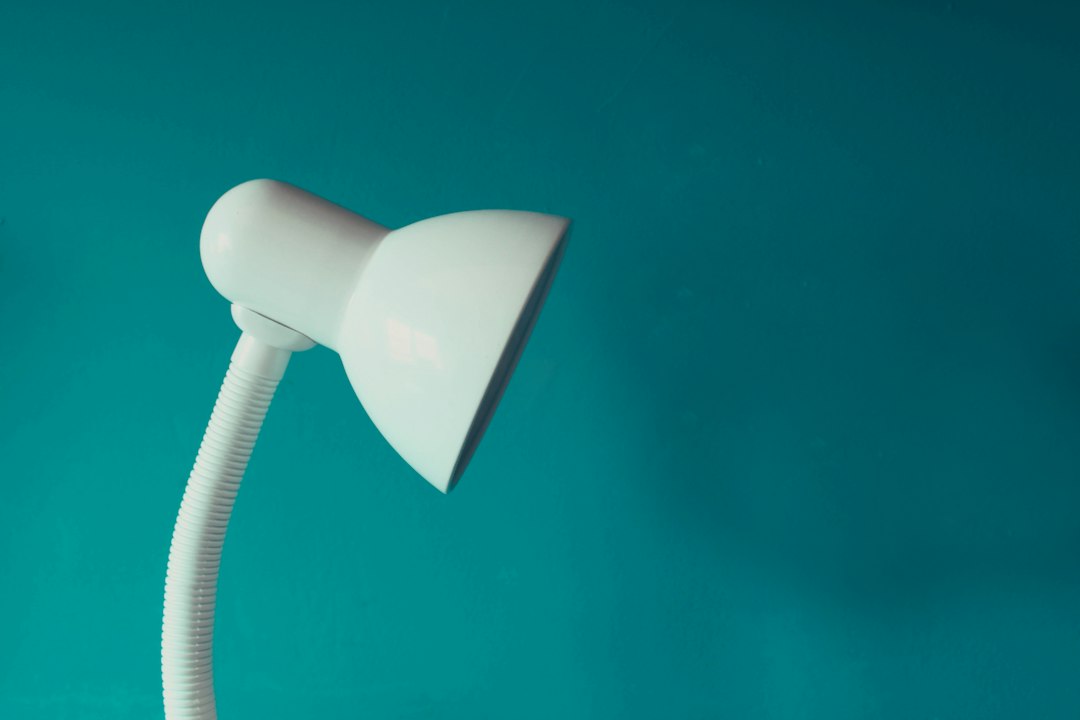
You’re looking to get the most out of your rechargeable desk lamp, not just in terms of light, but also in making sure it sips power rather than gulps it. The good news is, with a few smart choices and habits, your lamp can be a real champ at energy efficiency, saving you a little on your electricity bill and reducing how often you need to plug it in. It’s all about understanding what makes these lamps tick and how to optimize their use for maximum benefit.
Choosing the Right Lamp for Efficiency
When it comes to rechargeable desk lamps, not all are created equal. The initial choice you make can significantly impact how efficiently it operates and how much energy it saves over its lifespan. Thinking about a few key features upfront can make a big difference down the line.
Understanding LED Technology
This is probably the most crucial factor. Almost all modern rechargeable desk lamps use LEDs (Light Emitting Diodes) for their light source, and for good reason. They are incredibly energy-efficient compared to older incandescent or even fluorescent bulbs. However, there are still variations in LED quality and design that affect overall efficiency.
A high-quality LED chip will produce more light per watt of electricity consumed. This is often reflected in the lumen-per-watt (lm/W) rating, though manufacturers don’t always prominently display this. Look for lamps from reputable brands that specialize in lighting, as they are more likely to use better components. Cheaper lamps might use less efficient LEDs that consume more power for the same light output, or produce a lower quality of light.
Battery Capacity and Type
The battery is the heart of a rechargeable lamp. Its capacity, usually measured in milliampere-hours (mAh), dictates how long the lamp can run on a single charge. A larger mAh rating means longer run time. While a bigger battery might take longer to charge initially, it also means you’ll be charging it less frequently, potentially extending the battery’s overall lifespan and reducing energy consumption from constant trickle charging.
Most rechargeable lamps use Lithium-ion (Li-ion) batteries. These are generally efficient and have a good power-to-weight ratio. They also suffer less from the “memory effect” seen in older battery types, meaning you don’t have to fully discharge them before recharging. Pay attention to the expected charge cycles a manufacturer provides, as this indicates the battery’s longevity.
Power Input and Charging Speed
How your lamp charges also plays a role in efficiency. Lamps that use standard USB-C or micro-USB charging are generally convenient. Look for lamps with efficient charging circuits. Some cheaper lamps might lose a significant amount of energy as heat during the charging process.
Fast charging isn’t necessarily more efficient for the battery itself, but it can be more convenient. However, extremely fast charging can sometimes generate more heat, which isn’t ideal for battery longevity. A balanced charging speed is often best. Also, note the input voltage and current requirements. Using a compatible charger ensures optimal charging without stressing the lamp’s internal electronics.
Dimming and Color Temperature Options
A lamp with adjustable brightness (dimming) is a major energy saver. You rarely need maximum brightness all the time. Being able to dim the light to just what you need can drastically cut power consumption. For example, running a lamp at 50% brightness might not just halve the power draw, but often extends battery life even more significantly due to the non-linear relationship between current and light output at lower levels.
Adjustable color temperature (warm to cool light) is also a practical feature. While it doesn’t directly save energy in the same way dimming does, it allows you to tailor the light to your task and environment. Warmer light is often preferred for relaxing, while cooler light can be better for focused work. Using the most appropriate light for the situation can prevent eye strain and make you feel more comfortable, leading to less need for excessive brightness.
Optimizing Usage Habits
Once you have a good lamp, how you use it daily will determine its actual energy efficiency and how long it lasts. Simple adjustments to your routine can have a notable impact.
Leveraging Dimming Controls
This is perhaps the simplest yet most effective way to save energy. Most rechargeable desk lamps come with multiple brightness levels, or even stepless dimming. Resist the urge to always set it to maximum brightness. Often, a lower setting provides ample light for your task, especially if you’re in a moderately lit room.
Think of it like this: if your lamp has three brightness levels, and you only need the middle one, you’re potentially using a third less power than if you kept it on the highest setting. Over time, this adds up to significantly fewer recharges and less overall energy consumption. Experiment to find the lowest comfortable brightness for different tasks and times of day.
Strategic Placement and Natural Light Integration
Where you place your lamp matters. If you can position it to supplement natural light rather than compete with it, you’re already ahead. For instance, if you have a window nearby, place your lamp so it fills in shadows or provides task lighting without trying to overpower the daylight.
Avoid placing your lamp where its light is immediately absorbed by dark surfaces or where it causes glare. Reflective surfaces can sometimes help distribute light, allowing you to use a lower brightness setting. The goal is to maximize the effective illumination you get from the lamp’s output.
Timely Recharging and Avoiding Over-Discharge
Li-ion batteries generally prefer partial discharges to full ones. While they don’t have a strong “memory effect,” constantly running the battery down to absolute zero can shorten its overall lifespan. It’s usually best to recharge your lamp when the battery indicator shows it’s getting low (e.g., around 20-30% remaining) rather than waiting until it completely dies.
On the flip side, most modern lamps have built-in overcharge protection, so leaving them plugged in after they’re full won’t necessarily damage the battery immediately. However, for long-term storage or if you’re not using the lamp for extended periods, it’s often recommended to store it with about a 50-80% charge. This reduces stress on the battery and helps maintain its capacity over time. If you use your lamp plugged in most of the time, consider unplugging it once in a while to let the battery cycle a bit, preventing it from being in a constant 100% charged state, which can also slightly reduce its lifespan.
Turning Off When Not Needed
This sounds obvious, but it’s often overlooked. If you step away from your desk for more than a few minutes, turn off the lamp. Even at lower brightness settings, it’s still drawing power. Some lamps have automatic shut-off timers, which can be a helpful feature if you’re prone to forgetting. Using these timers can ensure the lamp isn’t needlessly draining its battery or consuming wall power when nobody is around.
Battery Care for Longevity
The battery is usually the first component to degrade in a rechargeable lamp. Taking good care of it not only ensures you get the most run time per charge but also extends the lamp’s overall useful life, saving you from having to replace it sooner.
Understanding Battery Cycles
A battery cycle refers to one complete discharge and recharge. Every rechargeable battery has a finite number of these cycles before its capacity significantly degrades. For typical Li-ion batteries in desk lamps, this might be anywhere from 300 to 1000 cycles.
While you don’t need to meticulously track every cycle, understanding this helps inform your charging habits. Partial discharges and recharges are often counted as fractions of a cycle. For example, discharging to 50% and recharging would be half a cycle. This reinforces the idea that avoiding deep discharges can extend the battery’s overall lifespan.
Temperature Management
Li-ion batteries are sensitive to extreme temperatures. High heat is particularly detrimental. Avoid leaving your lamp in direct sunlight for prolonged periods, especially while charging. If your lamp feels unusually warm during charging or operation, it could indicate an issue with the battery or charging circuit.
Similarly, extremely cold temperatures can temporarily reduce battery performance and capacity. While you’re unlikely to be using a desk lamp in freezing conditions, avoid storing it in unheated garages or outdoor sheds during winter months. Operating within typical room temperatures is ideal for battery health.
Using the Correct Charger
Always use the charger provided with your lamp, or a high-quality replacement that matches its voltage and current specifications. Using an incompatible charger, especially one that delivers too much voltage or current, can overheat the battery, damage the charging circuit, and significantly shorten the battery’s life or even pose a safety risk.
Even if a charger fits, check the output specifications (V and A). While modern devices often have internal protection, it’s best to be safe. If in doubt, stick to the original charger.
Long-Term Storage Recommendations
If you plan on storing your lamp for an extended period (several weeks or months), it’s best to charge it to around 50-80% before putting it away. Storing a battery completely discharged can lead to “deep discharge” and make it difficult or impossible to revive. Storing it at 100% charge for very long periods can also slightly reduce its overall capacity over time.
Periodically check on stored lamps and give them a partial charge every few months to keep the battery “active” and prevent it from completely losing its charge. This small effort can make a big difference when you eventually retrieve the lamp.
Maintenance and Cleaning
Regular, albeit simple, maintenance can keep your rechargeable desk lamp working efficiently and looking good for longer. It’s not just about aesthetics; a clean lamp can often perform better.
Keeping the Light Source Clear
Dust and dirt can accumulate on the LED panel or diffuser. While modern LEDs don’t have a bulb that needs changing, a layer of dust can obstruct light output. This means you might instinctively turn up the brightness, using more power than necessary, just to compensate for the lost illumination.
Gently wipe the LED panel and surrounding areas with a soft, dry, or slightly damp (not wet) microfiber cloth. Avoid abrasive cleaners or harsh chemicals, as these can scratch plastic diffusers or damage the lamp’s finish. Ensure the lamp is off and unplugged before cleaning.
Cleaning the Body and Base
The body and base of the lamp can also accumulate dust, fingerprints, and spills. A clean lamp is simply more pleasant to use. Use a soft, damp cloth for cleaning the exterior. For more stubborn grime, a very mild soap solution can be used, but ensure no liquid enters any openings or charging ports.
Regular cleaning prevents dirt buildup from becoming permanent stains and helps preserve the lamp’s finish, which is important for longevity and appearance.
Checking Charging Ports and Cables
Periodically inspect the charging port on your lamp and the charging cable itself. Dust, lint, or debris can accumulate inside the charging port, preventing a good connection and leading to inefficient or intermittent charging. Use a dry, non-metallic tool like a toothpick or a small brush to carefully dislodge any foreign material.
Also, check the charging cable for any fraying, kinks, or damage. A damaged cable can be a fire hazard and lead to inefficient charging. If a cable is damaged, replace it with a compatible, high-quality one.
Assessing Physical Wear and Tear
Give your lamp a quick once-over now and then. Check hinges, adjustable arms, and the base for any looseness or damage. Tightening a loose screw on a hinge, for example, can prevent further wear and tear and ensure the lamp holds its position correctly.
If you notice any significant cracks in the casing or diffuser, it’s worth considering if it affects the lamp’s structural integrity or light output. Addressing minor issues early can prevent them from becoming bigger problems later on.
Understanding Efficiency Metrics and Features
Delving a bit deeper into what manufacturers sometimes tell you (or what you can look for) can help you make more informed decisions both before and after purchase.
Lumens and Watts Explained
- Lumens (lm): This is the measure of the total amount of visible light emitted by a light source. Simply put, more lumens mean a brighter light.
- Watts (W): This measures the amount of electrical power the lamp consumes.
For efficiency, you want a high lumen-per-watt (lm/W) ratio. This tells you how much light you’re getting for the power consumed. A lamp that produces 500 lumens while consuming 5 watts (100 lm/W) is more efficient than a lamp that produces 500 lumens while consuming 10 watts (50 lm/W). While not always explicitly stated, a higher quality LED lamp will generally have a better lm/W rating.
CRI (Color Rendering Index)
While not directly related to energy efficiency, CRI is important for the quality of light. CRI measures how accurately a light source renders colors compared to natural sunlight. A higher CRI (closer to 100) means colors will look more vibrant and true-to-life under that light.
Why does this matter for efficiency? If a lamp has a very low CRI, colors might appear dull or washed out, making your work area seem less well-lit, which might tempt you to increase the brightness unnecessarily, thereby consuming more power. A good CRI (80 or higher) ensures you’re getting clear, accurate illumination, often allowing you to use a lower brightness setting.
Standby Power Consumption
Some electronic devices consume a small amount of power even when they’re turned off but still plugged in (often called “phantom load” or “vampire draw”). While modern LED lamps are often very good at minimizing this, it’s something to be aware of if your lamp is constantly plugged in.
If your lamp has an internal battery that you primarily use, and you only plug it in to charge, this isn’t a major concern. However, if it’s primarily used as a corded lamp and just happens to have a battery backup, consider unplugging it from the wall when not in use for extended periods, especially if it feels warm or if it has complex features that might draw a tiny amount of power.
Smart Features and Connectivity
Some rechargeable desk lamps come with smart features like app control, scheduled timers, or integration with smart home systems. While these add convenience, they can also introduce a slight increase in standby power consumption if the Wi-Fi or Bluetooth module is always active.
If energy efficiency is your top priority, consider if you truly need these smart features. If you do, ensure they are well-implemented by a reputable brand, as better engineering often leads to more efficient power management for these additional functions. Using scheduled timers, for instance, can be an excellent way to save energy by ensuring the lamp turns off automatically when you’re not around.
By keeping these points in mind, from your initial lamp selection to daily usage habits and long-term care, you can ensure your rechargeable desk lamp isn’t just a convenient light source, but a true champion of energy savings and efficiency.